
Getting Started:
Downloading TestFlight
Follow these steps on your iPhone to download TestFlight in preparation of launch day.
You’ll use TestFlight to access the MAS “LE-1” app for the pilot. TestFlight is Apple’s testing platform for iPhone apps.
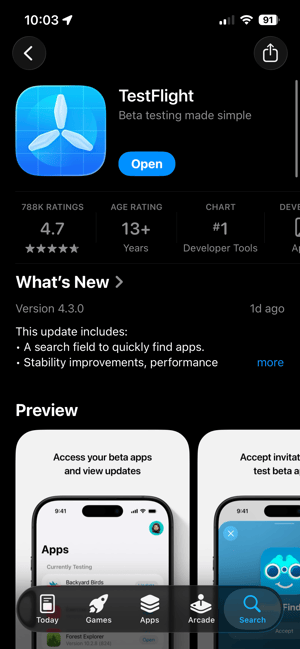
On your iPhone, download TestFlight via the App Store
After activating your MAS Account, open the App Store on your iPhone. Search for "TestFlight," or use this link to go straight to its App Store page: TestFlight app.
Tap "Get". Once it's installed successfully, the button will read "Open".
Next Step: Install the "LE-1" MAS app
Head to the Install the "LE-1" MAS app page for instructions to complete your next step.